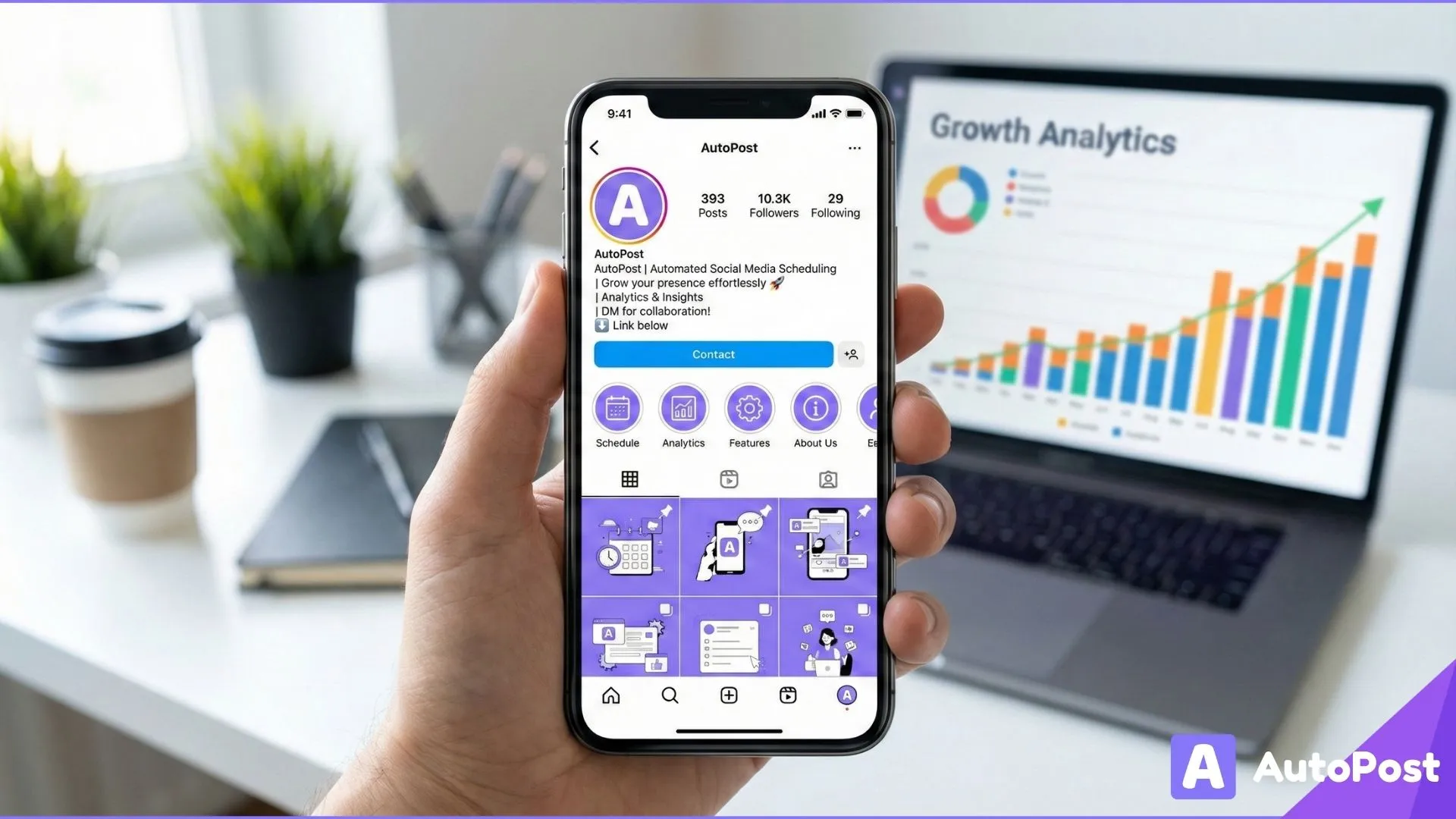
Instagram Business Profile Optimization Tips (2026 Guide)
Optimizing your Instagram business profile isn’t just a one-time task it’s a foundational strategy that directly impacts discoverability, engagement, conversions, and long term growth. In 2026, with competition stronger than ever and features constantly evolving, a well optimized profile is what separates businesses that grow consistently from those that post randomly and hope for results.
This guide breaks down practical, step by step Instagram business profile optimization tips backed by algorithm insight, real world examples, and actionable tactics you can implement today to attract the right audience, improve engagement, and drive more business outcomes.
Why Instagram Profile Optimization Matters in 2026
Your Instagram business profile is a micro website, storefront, and brand gateway all in one. It’s often the first place users land before deciding to follow, explore, or convert.
Optimizing your profile helps you:
✔ get discovered by the right audience
✔ communicate your value instantly
✔ increase click-throughs and conversions
✔ boost engagement and content visibility
✔ influence algorithmic performance
Without optimization, even great content can be overlooked or misinterpreted.
The Core Elements of a High Performing Instagram Business Profile
Before jumping into advanced tactics, let’s establish the must optimize profile elements:
Profile Name
Username (Handle)
Profile Photo
Bio
Call to Action (CTA)
Website Link
Highlights
Contact Information
Category
Branded Username Strategy
Every part of your profile works together to tell a coherent story about who you are, what you do, and why people should care.
1. Choose the Right Username & Profile Name (Search-Ready)
Username (handle) and Profile Name are two distinct elements and they both influence discovery.
Best Practices
✔ Username should be simple, recognizable, and consistent with your brand.
✔ Profile Name can include your industry keyword for discoverability.
Example:
Username: @HealthyHabitsCo
Profile Name: Healthy Habits | Wellness Tips
Why it works: Instagram’s internal search prioritizes Profile Name matches when users search for terms like “fitness tips” or “wellness coach.”
Optimized Profiles Use
business name/brand name
primary keyword related to industry
optional differentiator (location, niche focus)
Tip: Avoid special characters or numbers that make your handle harder to remember.
2. Use a Professional, Recognizable Profile Photo
Your profile picture should be brand-identifiable, even in small sizes (e.g., search results, comments).
Best Practices
✔ Use a clear logo or branded image
✔ Follow consistent brand colors
✔ Avoid overly complex designs
Why it matters:
A recognizable profile photo increases:
trust
account recall
click-throughs from search and feeds
If you’re a personal brand, use a professional headshot with good lighting and clear framing.
3. Craft a Magnetic, Clear Bio
Your bio should instantly communicate:
What you do
Who you help
Your unique value proposition
An optional brand personality or tagline
Aim for clarity > cleverness.
High-Converting Bio Formula
[Who you help] + [What you do] + [Unique benefit or proof] + [CTA]
Example:
Empowering CEOs & founders
to grow audience + sales
without burnout 🚀
👇 Start Here (Link)
Optimization Tips
✔ Use readable line breaks
✔ Include relevant keywords
✔ Use emojis for visual scanning
✔ Add a call to action (CTA)
4. Add an Actionable Website Link
Your website link is one of Instagram’s few clickable areas, so make it count.
What to Link
Homepage (for established brands)
Landing page with offers
Lead magnet signup
Link aggregator (e.g., Linktree, Beacons)
New campaign or seasonal campaign page
5. Use Instagram Story Highlights to Extend Your Bio
Story Highlights act as permanent tabs for your most important content. They help users:
Understand your brand instantly
Get social proof
Navigate your offers
High-Impact Highlight Categories
✔ Testimonials
✔ About/Why it matters
✔ Products/Services
✔ Tutorials/How tos
✔ FAQs
✔ Events/Announcements
Tip: Use branded icons or cover graphics for consistency.
6. Set the Best Category & Contact Options
Instagram lets you choose a business category and contact info (email, phone, address).
Why it matters
Selecting a relevant category:
clarifies what your account is about
improves profile relevance
helps with Instagram Search
Optimization tips
✔ Select the most specific category possible
✔ Enable contact options like email or phone if relevant
✔ Add physical address if you have a local business
7. Pin High-Performing Posts
Instagram now allows you to “pin” up to three posts to the top of your feed.
Think of these as:
✔ Featured content
✔ Proof of expertise
✔ Introduction posts
Best choices to pin
Best performing posts (highest engagement)
Lead-generation content
Showcase testimonials or results
Explain what your account is about
Pinned posts shape the first impression of your feed and make them count.
8. Use Keywords in Captions and Alt Text
Instagram is now partly search driven, not just social.
Caption Keywords
Include relevant industry keywords in your:
first 125 characters
hook or opening sentence
Example:
Instead of “Loved today’s workout,” write:
“5 min HIIT home workout for busy professionals 🏃♂️”
This improves:
Instagram search visibility
relevance signals
discoverability outside hashtags
Alt Text
Alt text is not just for accessibility it gives Instagram structured text to describe your visual content.
How to use it
Add specific, descriptive alt text:
“Woman doing HIIT home workout without equipment for beginners”
This reinforces visual context signals.
9. Optimize Your Hashtag Strategy
Hashtags still matter in 2026 but not like they used to. Instagram now favors relevant, contextual tags over high-volume noise.
Best Practices
✔ Mix high-reach hashtags with niche tags
✔ Use 5–12 hashtags per post
✔ Place them in a comment or at the bottom of the caption
✔ Track performance to see which tags drive real engagement
10. Cross-Promote Content With Consistency
Your optimization doesn’t stop at your Instagram profile, it extends into strategy.
Sharing consistent brand messaging across:
Instagram Stories
Reels
Guides
Bio links
Profile CTA
…builds cohesive signals that Instagram favors over time.
11. Leverage Instagram Shopping & Action Buttons
If you sell products or services, Instagram offers:
Instagram Shopping
Action buttons (Book now, Contact, Reserve)
These allow users to take meaningful actions directly from your profile.
Optimization tips:
✔ Enable product tagging
✔ Organize shop collections
✔ Test different CTA buttons
12. Use Instagram Analytics to Refine Your Profile
Optimization isn’t static, it evolves.
Use Instagram Insights to answer:
Which posts drive follows?
What content gets the most saves?
What reels drive profile visits?
Which link clicks convert?
Align your strategy to:
✔ Post formats that drive growth
✔ CTA tweaks that convert better
✔ Content categories that build authority
Example: Before vs After Optimization
To illustrate how optimization influences performance, consider this example:
Before Optimization
✔ Bio: “We sell fitness gear”
✔ No CTA
✔ No website link
✔ Random hashtags
✔ No pinned posts
Result:
Low profile visits
High bounce rate
Few clicks
After Optimization
✔ Bio: “Fitness gear for busy professionals 💪”
✔ CTA: “Shop new collection 👇”
✔ Link to special landing page
✔ Relevant niche hashtags
✔ Highlighted FAQs & Testimonials
Result:
Higher engagement
More profile clicks
Increased conversions
Optimization clarifies intent and clarity converts.
Tracking Your Optimization Progress
To know if your changes are working, track these metrics monthly:
📌 Profile Visits
📌 Website Clicks
📌 Follower Growth
📌 Reach & Impressions
📌 Engagement Rate
📌 Saves & Shares
You can track:
natively in Instagram Insights
through tools like AutoPost, which pulls performance data into one dashboard
using tracking links for website conversions
The Role of Content Strategy in Profile Optimization
An optimized profile sets the stage, but content brings the audience in.
Align these content strategies with your profile:
👉 Post consistently
👉 Use Reels to boost reach
👉 Tell stories, not just sell
👉 Use educational hooks in captions
👉 Encourage saves and shares
Optimization plus content strategy equals exponential compounding.
How AutoPost Helps You Maintain Optimization Momentum
AutoPost isn’t just a scheduler.
it’s a system that helps content creators maintain optimization long-term:
✅ Suggests bio and CTA improvements
✅ Tracks post performance trends
✅ Recommends hashtags based on engagement
✅ Helps schedule at optimal times

✅ Pulls analytics across platforms
✅ Provides performance insights you actually use
With AutoPost, optimization becomes scalable, not a one off task.
Common Mistakes to Avoid in Instagram Profile Optimization
❌ Using generic bios like “Love sharing content”
❌ Not tracking performance data
❌ Ignoring link clicks
❌ Writing vague captions
❌ Skipping pinned posts
❌ Not aligning your story highlights
Avoiding these mistakes puts you ahead of 80% of creators.
Final Thoughts: Optimization Is a Continual Advantage
Instagram business profile optimization isn’t an “add once and forget” task. It’s a living part of your growth strategy.
2026 demands:
✅ clarity
✅ relevance
✅ search signals
✅ strategic CTAs
✅ data-driven updates
When you optimize with intention and use analytics to guide you your profile becomes a powerful discovery engine that works 24/7.
Optimizing your profile + posting consistently + tracking data = predictable Instagram growth.
And when you pair that with tools like AutoPost, you gain speed without losing strategy, a combination every creator needs in 2026 and beyond.